


Page 26 - Digital_Kids_3
P. 26
Components of Windows 11


            Windows 11 has many components for different purposes.
              1.  Start Menu – Central access point for apps, settings, and power options.


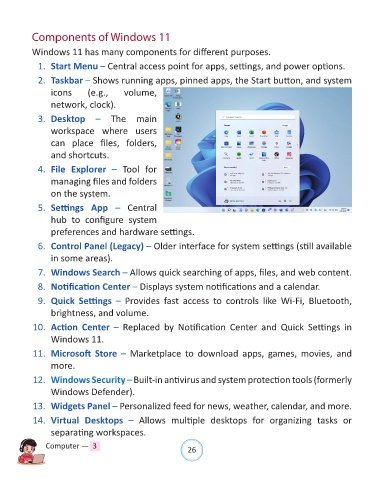
              2.  Taskbar – Shows running apps, pinned apps, the Start button, and system
                  icons        (e.g.,      volume,
                  network, clock).


              3.  Desktop – The  main
                  workspace where users

                  can  place  files,  folders,
                  and shortcuts.

              4.  File  Explorer –  Tool  for

                  managing files and folders
                  on the system.

              5.  Settings  App –  Central

                  hub  to  configure  system
                  preferences and hardware settings.

              6.  Control Panel (Legacy) – Older interface for system settings (still available

                  in some areas).

              7.  Windows Search – Allows quick searching of apps, files, and web content.

              8.  Notification Center – Displays system notifications and a calendar.

              9.  Quick  Settings –  Provides  fast  access  to  controls  like  Wi-Fi,  Bluetooth,
                  brightness, and volume.


             10.  Action  Center –  Replaced  by  Notification  Center  and  Quick  Settings  in
                  Windows 11.

             11.  Microsoft  Store –  Marketplace  to  download  apps,  games,  movies,  and

                  more.

             12.  Windows Security – Built-in antivirus and system protection tools (formerly
                  Windows Defender).

             13.  Widgets Panel – Personalized feed for news, weather, calendar, and more.

             14.  Virtual  Desktops –  Allows  multiple  desktops  for  organizing  tasks  or

                  separating workspaces.

                Computer —  3                                   26

