


Page 59 - Digital_Kids_3
P. 59
•  Execute:  Runs  the  command  typed  in  the  Input  Box  (same  as  pressing

                  Enter). Helps start the turtle’s movement.

              •  Reset: Brings the turtle back to the center of the screen. Clears all settings
                  but does not erase the drawing.

              •  Halt: Stops the turtle immediately if it is moving. Useful if the turtle is stuck

                  in a long command.

              •  Pause/Continue: Pauses the turtle’s movement and then continues when
                  clicked again (not always available in all versions).


            MSW LOGO Commands


            Forward Command (FD)

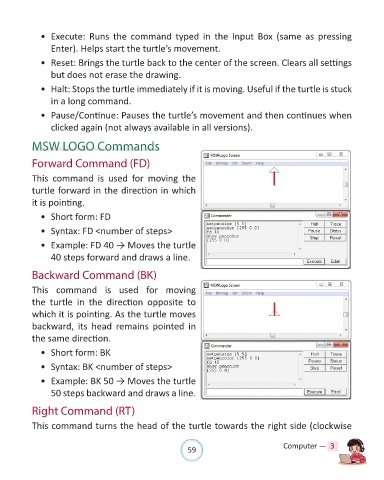
            This  command  is  used  for moving  the

            turtle forward in the direction in which
            it is pointing.

              •  Short form: FD

              •  Syntax: FD <number of steps>

              •  Example: FD 40 → Moves the turtle

                  40 steps forward and draws a line.

            Backward Command (BK)


            This  command is used for  moving
            the  turtle  in  the  direction  opposite  to

            which it is pointing. As the turtle moves
            backward,  its  head  remains  pointed  in

            the same direction.

              •  Short form: BK

              •  Syntax: BK <number of steps>

              •  Example: BK 50 → Moves the turtle
                  50 steps backward and draws a line.


            Right Command (RT)

            This command turns the head of the turtle towards the right side (clockwise


                                                                59                               Computer —  3

