


Page 68 - Digital_Kids_3
P. 68
Status Bar


            The Status Bar is a horizontal bar located at the bottom of the Word window. It
            provides real-time information about the document and offers quick access to
            tools.


            Scroll Bar

            A vertical or horizontal bar that allows you to navigate (move) through the
            document when the content is too large to fit in the visible window.


            Creating a New Document


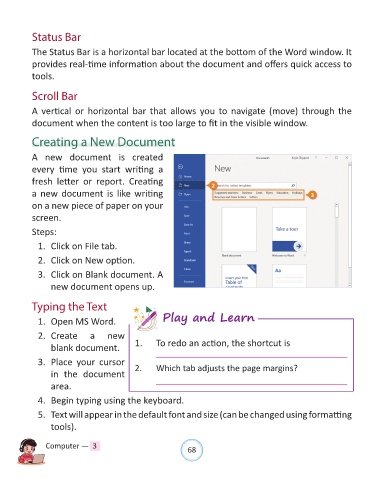
            A  new document is created
            every  time  you  start  writing  a

            fresh  letter  or  report.  Creating
            a new document is like writing

            on a new piece of paper on your
            screen.

            Steps:

              1.  Click on File tab.

              2.  Click on New option.

              3.  Click on Blank document. A

                  new document opens up.


            Typing the Text

              1.  Open MS Word.                         Play and Learn

              2.  Create       a     new

                  blank document.              1.     To redo an action, the shortcut is

              3.  Place  your  cursor
                  in  the document             2.     Which tab adjusts the page margins?

                  area.

              4.  Begin typing using the keyboard.

              5.  Text will appear in the default font and size (can be changed using formatting
                  tools).


                Computer —  3                                   68

