


Page 21 - Digital_Kids_2
P. 21
Types of Keys


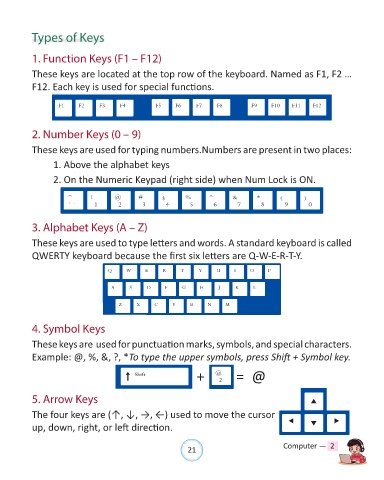
            1. Function Keys (F1 – F12)

            These keys are located at the top row of the keyboard. Named as F1, F2 …

            F12. Each key is used for special functions.


            2. Number Keys (0 – 9)

            These keys are used for typing numbers.Numbers are present in two places:

                   1. Above the alphabet keys

                   2. On the Numeric Keypad (right side) when Num Lock is ON.


            3. Alphabet Keys (A – Z)


            These keys are used to type letters and words. A standard keyboard is called
            QWERTY keyboard because the first six letters are Q-W-E-R-T-Y.


            4. Symbol Keys

            These keys are  used for punctuation marks, symbols, and special characters.

            Example: @, %, &, ?, *To type the upper symbols, press Shift + Symbol key.

                                                                   +             = @


            5. Arrow Keys

            The four keys are (↑, ↓, →, ←) used to move the cursor
            up, down, right, or left direction.


                                                                21                               Computer —  2

