


Page 37 - Digital_Kids_4
P. 37
4                        Introduction to Internet


                                   Chapter Outline
                                               •  Internet                           •  Internet Terms
                                               •  Advantages and Disadvantages of Internet
                                               •  Requirements for the Internet •  Search Engine
                                               •  Web Browser                        • Microsoft Edge
                                               •   Displaying a Specific Website
                                               •  Guidelines for Online Safety


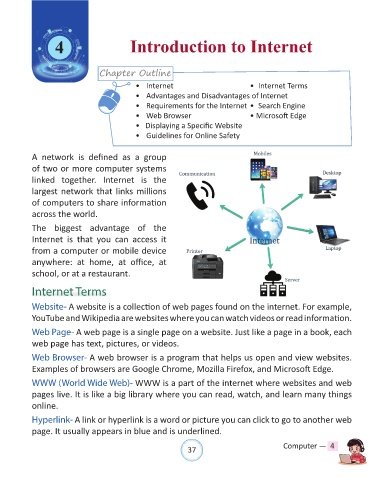
            A  network  is  defined  as  a  group
            of two or more computer systems
            linked  together.  Internet  is  the

            largest network that links millions
            of computers to share information

            across the world.

            The biggest advantage  of the
            Internet is  that you can access  it

            from a computer or mobile device
            anywhere:  at  home,  at  office,  at
            school, or at a restaurant.


            Internet Terms

            Website- A website is a collection of web pages found on the internet. For example,

            YouTube and Wikipedia are websites where you can watch videos or read information.

            Web Page- A web page is a single page on a website. Just like a page in a book, each
            web page has text, pictures, or videos.

            Web Browser- A web browser is a program that helps us open and view websites.
            Examples of browsers are Google Chrome, Mozilla Firefox, and Microsoft Edge.

            WWW (World Wide Web)- WWW is a part of the internet where websites and web

            pages live. It is like a big library where you can read, watch, and learn many things
            online.

            Hyperlink- A link or hyperlink is a word or picture you can click to go to another web

            page. It usually appears in blue and is underlined.


                                                                37                               Computer —  4

