


Page 28 - Digital_Kids_2
P. 28
4                        More About The Mouse


                                   Chapter Outline
                                                   Mouse
                                                   Functions of Mouse
                                                   Types of Mouse
                                                   Features of Mouse

            A mouse is a pointing device,

            which  is  used  to  move,                             Play and Learn

            point, and select items on a                        Draw a mouse and colour it.
            computer  screen.  It  is  also

            used to draw and paint.

            A mouse commonly has two

            buttons and a small wheel on
            it. It has a long wire attached

            to it.


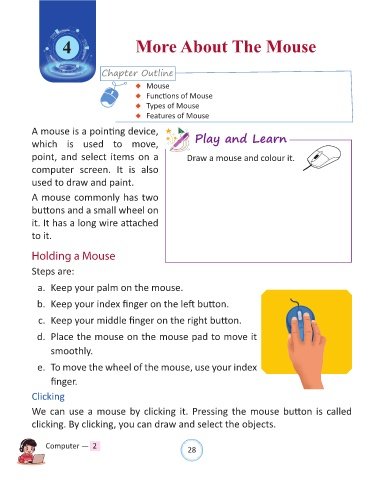
            Holding a Mouse


            Steps are:

              a.  Keep your palm on the mouse.

              b.  Keep your index finger on the left button.


              c.  Keep your middle finger on the right button.

              d.  Place the mouse on the mouse pad to move it

                  smoothly.


              e.  To move the wheel of the mouse, use your index

                  finger.

            Clicking

            We can use a mouse by clicking it. Pressing the mouse button is called

            clicking. By clicking, you can draw and select the objects.


                Computer —  2                                   28

