


Page 54 - Digital_Kids_5
P. 54
Play and Learn


              1.  The first email was sent by                               in 1971.

              2.  Look around your classroom or home and list 3 devices that connect to the Internet.


                                                ,                                 ,


              •  E-mail stands for electronic mail, which allows users to send and receive messages
                  directly  on  their  computers  or  other  devices  through  communication  networks.
                  These messages can be typed using a keyboard or sent as electronic files stored on

                  disk. An email may contain text, images, files, or other attachments.
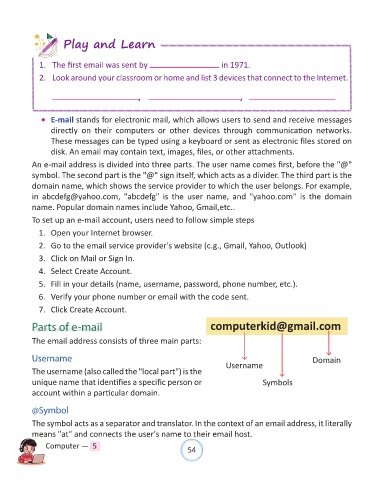
            An e-mail address is divided into three parts. The user name comes first, before the "@"

            symbol. The second part is the "@" sign itself, which acts as a divider. The third part is the
            domain name, which shows the service provider to which the user belongs. For example,
            in  abcdefg@yahoo.com,  "abcdefg"  is  the  user  name,  and  "yahoo.com"  is  the  domain
            name. Popular domain names include Yahoo, Gmail,etc..

            To set up an e-mail account, users need to follow simple steps

              1.  Open your Internet browser.
              2.  Go to the email service provider's website (c.g., Gmail, Yahoo, Outlook)

              3.  Click on Mail or Sign In.

              4.  Select Create Account.

              5.  Fill in your details (name, username, password, phone number, etc.).
              6.  Verify your phone number or email with the code sent.

              7.  Click Create Account.

            Parts of e-mail                                             computerkid@gmail.com


            The email address consists of three main parts:

            Username                                                                                       Domain

            The username (also called the "local part") is the               Username
            unique name that identifies a specific person or                              Symbols

            account within a particular domain.

            @Symbol

            The symbol acts as a separator and translator. In the context of an email address, it literally
            means "at" and connects the user's name to their email host.

                Computer —  5                                   54

