


Page 98 - Digital_Kids_5
P. 98
ACTIVITY
                         ARENA


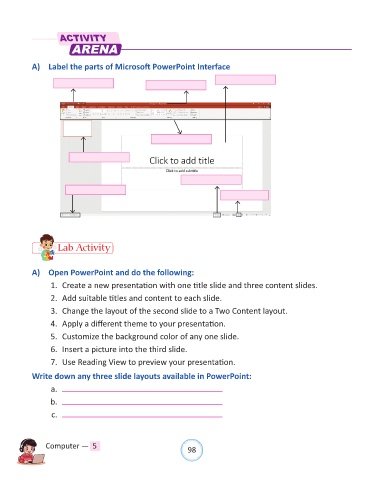
            A)  Label the parts of Microsoft PowerPoint Interface


                     Lab Activity


            A)  Open PowerPoint and do the following:

                  1.  Create a new presentation with one title slide and three content slides.

                  2.  Add suitable titles and content to each slide.
                  3.  Change the layout of the second slide to a Two Content layout.

                  4.  Apply a different theme to your presentation.

                  5.  Customize the background color of any one slide.
                  6.  Insert a picture into the third slide.

                  7.  Use Reading View to preview your presentation.

            Write down any three slide layouts available in PowerPoint:

                  a.
                  b.

                  c.


                Computer —  5                                   98

