


Page 38 - Digital_Kids_2
P. 38
Changing Font Size


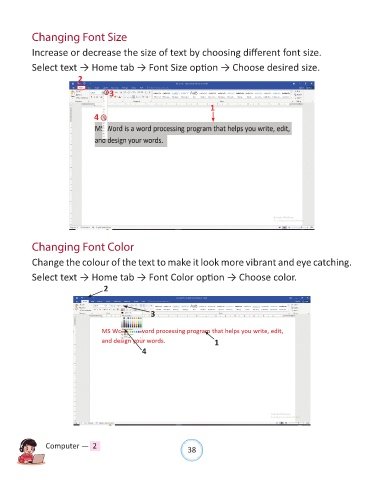
            Increase or decrease the size of text by choosing different font size.

            Select text → Home tab → Font Size option → Choose desired size.
                           2

                                      3

                                                                        1
                                 4


            Changing Font Color


            Change the colour of the text to make it look more vibrant and eye catching.

            Select text → Home tab → Font Color option → Choose color.

                                    2


                                                    3


                                                                         1
                                                 4


                Computer —  2                                   38

