


Page 69 - Digital_Kids_4
P. 69
original location in a document and temporarily store them in the Clipboard.

            Shortcut key: Ctrl + X


            Paste Command

            The Paste command is used to insert the content from the Clipboard into a new

            location within the document.

            Shortcut key: Ctrl + V
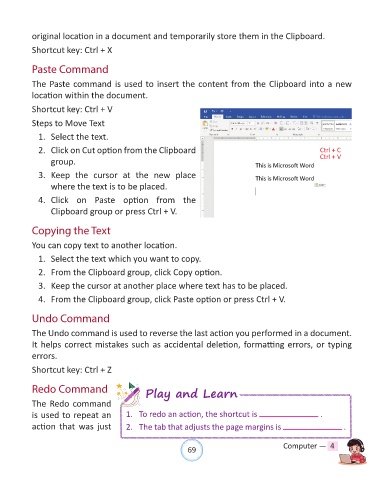
            Steps to Move Text

              1.  Select the text.

              2.  Click on Cut option from the Clipboard

                  group.

              3.  Keep  the  cursor  at  the  new  place
                  where the text is to be placed.

              4.  Click  on  Paste  option  from  the
                  Clipboard group or press Ctrl + V.


            Copying the Text

            You can copy text to another location.

              1.  Select the text which you want to copy.

              2.  From the Clipboard group, click Copy option.

              3.  Keep the cursor at another place where text has to be placed.

              4.  From the Clipboard group, click Paste option or press Ctrl + V.


            Undo Command

            The Undo command is used to reverse the last action you performed in a document.
            It helps correct mistakes such as accidental deletion, formatting errors, or typing

            errors.

            Shortcut key: Ctrl + Z


            Redo Command                          Play and Learn

            The Redo command
            is used to repeat an            1.  To redo an action, the shortcut is                           .
            action  that  was  just         2.  The tab that adjusts the page margins is                             .


                                                                69                               Computer —  4

