


Page 25 - Digital_Kids_5
P. 25
A.2. Get Organized: Open Task View to arrange your active applications. List the names
                 of the apps you currently have opened in the box provided.


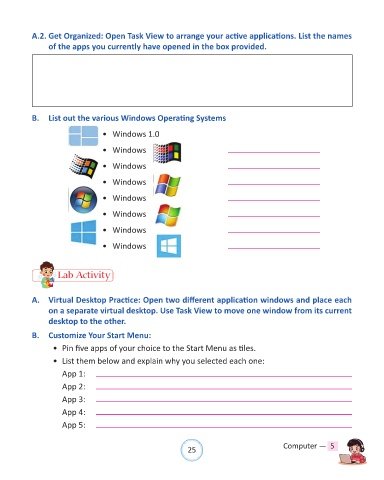
            B.  List out the various Windows Operating Systems

                                    •  Windows 1.0

                                    •  Windows


                                    •  Windows

                                    •  Windows

                                    •  Windows


                                    •  Windows

                                    •  Windows

                                    •  Windows


                     Lab Activity


            A.  Virtual Desktop Practice: Open two different application windows and place each
                 on a separate virtual desktop. Use Task View to move one window from its current
                 desktop to the other.

            B.  Customize Your Start Menu:

                   •  Pin five apps of your choice to the Start Menu as tiles.

                   •  List them below and explain why you selected each one:

                      App 1:
                      App 2:

                      App 3:

                      App 4:
                      App 5:


                                                                25                               Computer —  5

