


Page 41 - Digital_Kids_5
P. 41
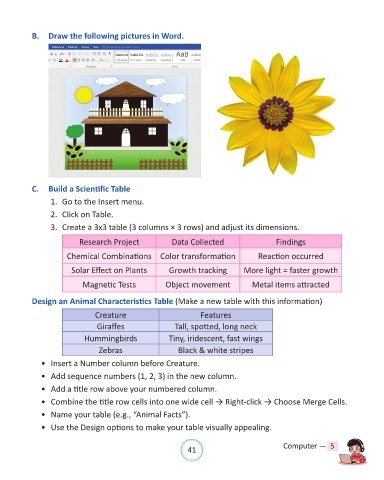
B.  Draw the following pictures in Word.


            C.  Build a Scientific Table

                  1.  Go to the Insert menu.

                  2.  Click on Table.

                  3.  Create a 3x3 table (3 columns × 3 rows) and adjust its dimensions.

                            Research Project               Data Collected                     Findings

                        Chemical Combinations Color transformation                      Reaction occurred

                         Solar Effect on Plants           Growth tracking          More light = faster growth

                             Magnetic Tests              Object movement              Metal items attracted

            Design an Animal Characteristics Table (Make a new table with this information)

                                 Creature                            Features

                                  Giraffes                  Tall, spotted, long neck
                             Hummingbirds                 Tiny, iridescent, fast wings
                                  Zebras                     Black & white stripes

              •  Insert a Number column before Creature.

              •  Add sequence numbers (1, 2, 3) in the new column.

              •  Add a title row above your numbered column.
              •  Combine the title row cells into one wide cell → Right-click → Choose Merge Cells.

              •  Name your table (e.g., “Animal Facts”).

              •  Use the Design options to make your table visually appealing.


                                                                41                               Computer —  5

