


Page 31 - Digital_Kids_5
P. 31
Changing Tab Settings

            A Tab is short for tabulation. It is used to control the position of text in a document. Tabs

            help in aligning text neatly, especially when making lists, tables, or columns. By default,
            MS Word sets tab stops every 0.5 inch across the page, and the text is aligned to the left.

            MS Word provides five types of Tabs:

            1. Left Tab (Normal) : Aligns the text on the left side of the tab stop. The text moves to

            the right.

            2. Right Tab : Aligns the text on the right side of the tab stop. The text moves to the left.


            3. Center Tab : Aligns the text at the centre of the tab stop.


            4. Decimal Tab : Aligns numbers and text with the decimal point (useful for lists with
            numbers).


            5. Bar Tab : Creates a vertical line at the designated tab stop to separate text.

            Inserting Picture

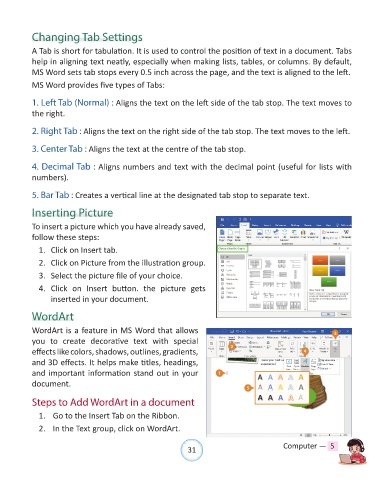
            To insert a picture which you have already saved,

            follow these steps:
              1.  Click on Insert tab.

              2.  Click on Picture from the illustration group.

              3.  Select the picture file of your choice.

              4.  Click  on  Insert  button.  the  picture  gets
                  inserted in your document.

            WordArt

            WordArt is a feature in MS Word that allows

            you  to  create  decorative  text  with  special
            effects like colors, shadows, outlines, gradients,
            and 3D effects. It helps make titles, headings,
            and important information stand out in your

            document.

            Steps to Add WordArt in a document

              1.   Go to the Insert Tab on the Ribbon.

              2.   In the Text group, click on WordArt.


                                                                31                               Computer —  5

