


Page 32 - Digital_Kids_5
P. 32
3.   A gallery of different WordArt styles will appear.

              4.   Select the style you like.

              5.   A text box with sample text ("Your text here") will appear.
              6.   Type your desired text inside the WordArt box.


            Header and Footer


            Header

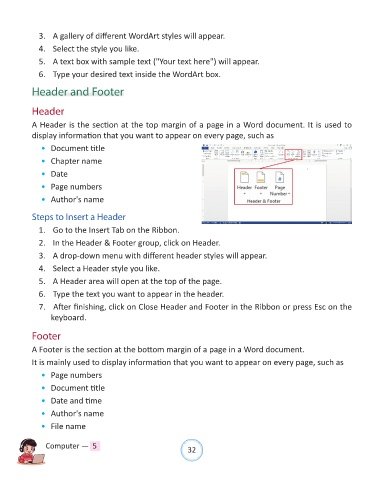
            A Header is the section at the top margin of a page in a Word document. It is used to
            display information that you want to appear on every page, such as

              •  Document title

              •  Chapter name
              •  Date

              •  Page numbers

              •  Author's name

            Steps to Insert a Header

              1.   Go to the Insert Tab on the Ribbon.

              2.   In the Header & Footer group, click on Header.

              3.   A drop-down menu with different header styles will appear.
              4.   Select a Header style you like.

              5.   A Header area will open at the top of the page.

              6.   Type the text you want to appear in the header.
              7.   After finishing, click on Close Header and Footer in the Ribbon or press Esc on the

                  keyboard.


            Footer
            A Footer is the section at the bottom margin of a page in a Word document.

            It is mainly used to display information that you want to appear on every page, such as

              •  Page numbers
              •  Document title

              •  Date and time

              •  Author's name

              •  File name


                Computer —  5                                   32

